
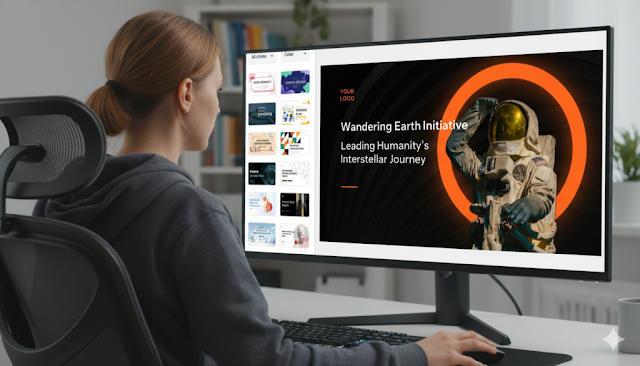
From Text to Slides: How to Use an AI PPT Maker Effectively
Using an AI PPT maker effectively goes beyond simple copy-pasting. It requires a strategic approach to content structuring, prompt engineering, and visual refinement to produce professional, engaging presentations. In 2025, mastering this skill is key for productivity. Tools like AiPPT automate tedious formatting, letting you focus on your narrative while the AI handles design hierarchy and layout.
How AI Transforms Text into Presentation Slides
Modern AI slide generators use Natural Language Processing (NLP) to comprehend your input. They analyze semantic structure, identifying main topics, headers, and supporting details to summarize dense text into digestible points. This content transformation means the AI doesn't just place text on slides; it assesses tone and data type to suggest appropriate layouts like charts for financial data or timelines for events.
Why Choose an AI PPT Maker for Text-to-Slide Conversion
An advanced AI PPT maker like AiPPT excels at handling long-form content—research papers, business plans, manuals—without losing narrative coherence. It bridges automation and customization by matching visual design to your text's context. A corporate review gets a clean, professional template, while a creative brief triggers a dynamic, colorful layout, ensuring both accuracy and aesthetics.
Step-by-Step Guide: Convert Text to Slides with AI
Follow this three-phase workflow to create a boardroom-ready presentation quickly.
Phase 1: Prepare Your Input Text
Structure your source document with clear headings (H1, H2) and separate key ideas with line breaks. This helps the AI determine slide breaks and content hierarchy, leading to a better first draft.

Artikel Terkait
KPK Jamin Status Mahasiswa Unsoed Aman dan Kuliah Tetap Normal di Tengah Kasus Dugaan Pemerasan
Kronologi Lengkap Pencopotan dan Penangkapan Lodewyk Pusung: Fakta Telepon Teddy Indra Wijaya hingga Sidang Praperadilan BGN
Wafa Ahdina Mundur dari Unhan demi Pertahankan Hijab: Kisah Lengkap di Balik Keputusan Besar
KPK Tetapkan 6 Tersangka OTT Unsoed: Rektor dan Wakil Rektor Terjaring Dugaan Pemerasan Seleksi Mandiri